| |
| Author |
Message |
Rcflyer
Joined: 01 Jul 2004
Posts: 80
|
 Posted: Fri Aug 27, 2004 5:19 pm Post subject: test (posting a pic) |
|
|
just wainted to see if this worked, nevermind my pic is to big (206kb) 
|
|
| Back to top |
|
 |
Meyrick
Site Admin

Joined: 15 Apr 2004
Posts: 1314
Location: Fremont, CA
|
| Posted: Fri Aug 27, 2004 5:54 pm Post subject: |
|
|
If you decrease the image size to 640x480, the file size should decrease dramatically.
_________________
--Meyrick-- |
|
| Back to top |
|
|
Rcflyer
Joined: 01 Jul 2004
Posts: 80
|
| Posted: Fri Aug 27, 2004 7:48 pm Post subject: |
|
|
| how i do that?
|
|
| Back to top |
|
|
3dbatixkid
Moderator

Joined: 15 Apr 2004
Posts: 1125
Location: Sunnyvale, CA
|
|
| Back to top |
|
|
Meyrick
Site Admin
Joined: 15 Apr 2004
Posts: 1314
Location: Fremont, CA
|
| Posted: Fri Aug 27, 2004 7:54 pm Post subject: |
|
|
You need a program that can edit picture files. You can go on the web and search for a picture editor. There are lots of free ones out there.
_________________
--Meyrick-- |
|
| Back to top |
|
|
Rcflyer
Joined: 01 Jul 2004
Posts: 80
|
| Posted: Sun Aug 29, 2004 12:21 pm Post subject: |
|
|
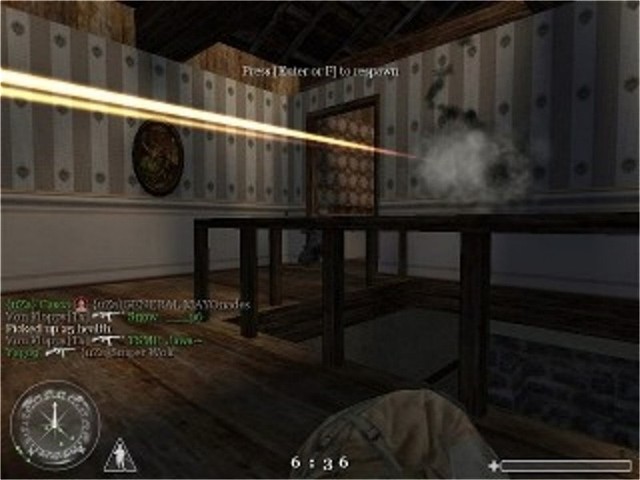
think i got it now turned the resolution down a little bite yep tehre it is the screen shot is from call of duty if anybody is woundering to,highest i could get it in the resolution is 640x480 that normial? and does that seem blury are is it just me? and if so how do I get it more clearer?
| Description: |
|
| Filesize: |
54.88 KB |
| Viewed: |
225 Time(s) |
|
|
|
| Back to top |
|
|
| |


